How to use Xbox 360 controller on PC, and why to use button mapping
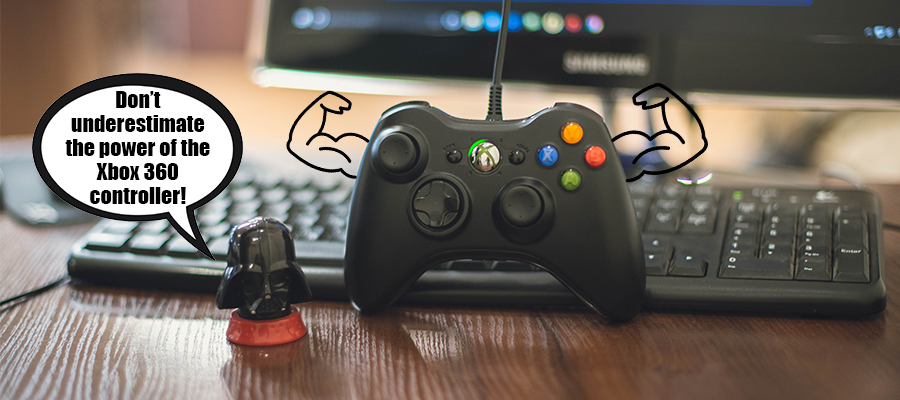
Despite the hype around Xbox Elite with magical Elite paddles, nobody has cancelled the opportunity to use Xbox 360 controller on PC via reWASD and make your controller stronger with Xbox 360 button mapping. Let’s check how it works.
reWASD can help you out even if the game from Steam has partial controller support: you can unmap all the controller buttons, then assign keyboard keys to them, and use the gamepad fully. That's why Steam partial controller support is no longer a problem at all!
Now you can apply 50 assignments instead of 14 while you get ready to use Xbox 360 controller on PC. I’ve prepared the short how-to, so you could see how to use Xbox 360 controller on PC, and also every single detail about Shift mode. Basically, you pick a button in reWASD (it can be any control) as a Shift, and while you press‘n’hold it — your main layout changes to another set of actions. Starting from reWASD 3.1, you also can apply Toggle Shift, then you'll activate the other layout by one tap, and go back to main layout after the second tap. Let’s see how to use Xbox 360 controller on PC together, you won't miss a thing!
Shift mode is the best to use with Xbox 360 controller on PC:
- Download and install reWASD. It’s free to try, so it would be easy to start.
Download - Connect Xbox 360 controller to PC. Once connected, you will see the icon appear in the lower-left corner, and you need to pick the controller:
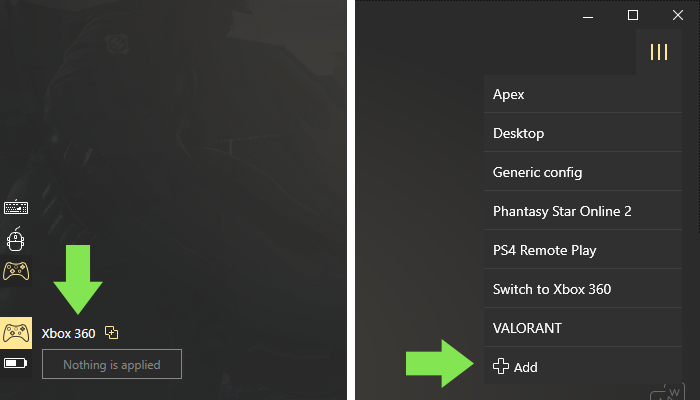
- Create a new profile, the config creates automatically. Start remapping!
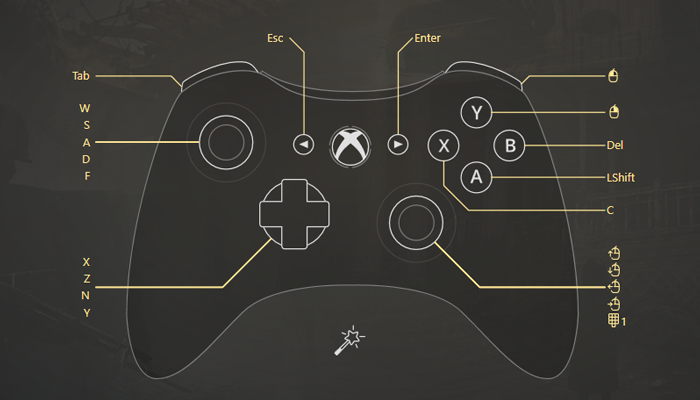
- Fulfill the main configuration first. Leave some buttons you will use as Shifts:
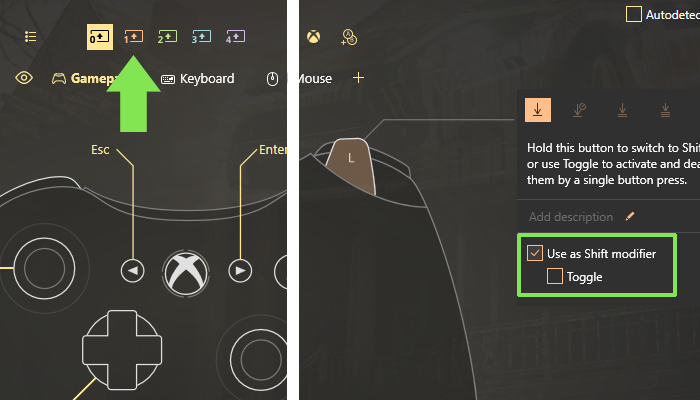
- Now it's time to deal with Shift: choose the first Shift in the top left corner, then pick the Shift modifier (the button you press to activate the new keybindings layout). Note, that you can choose the Shift modifier to be a toggle. If you connect Xbox 360 controller to PC before creating the config, you can simply press the desired controller button and it will be selected in reWASD right away.
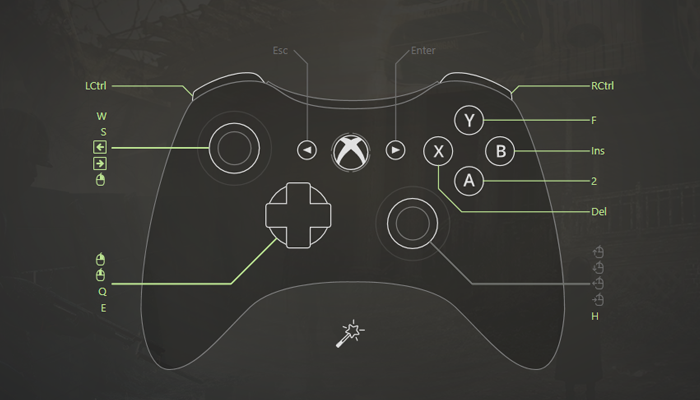
- Add the needed bindings to the Shift layout.
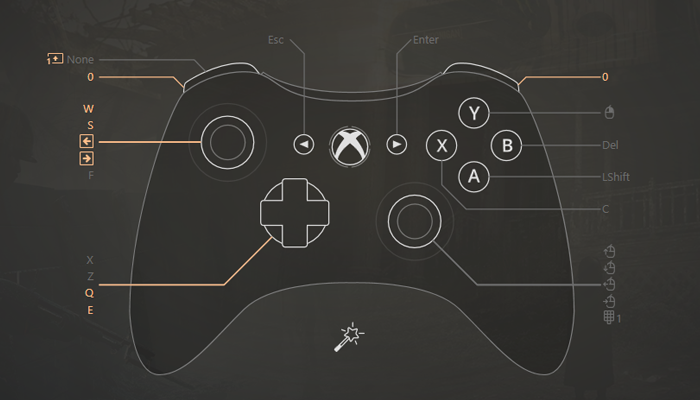
- You can add up to 4 Shifts to one config. If you need more additional configurations — make yourself at home and add more bindings to make your Xbox 360 on PC usage handier!
- A few steps left before you can finally use Xbox 360 controller on PC: return to the main mappings and press Apply.
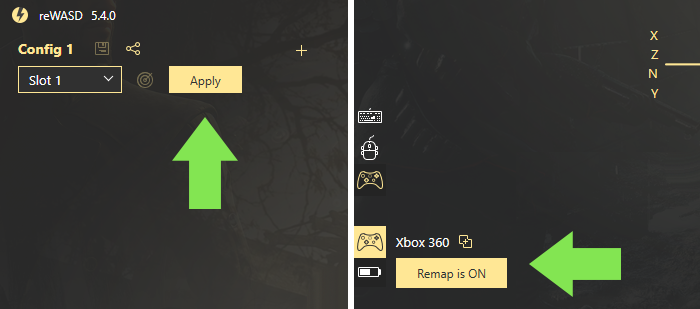
- Now you can see the Remap is ON, which means you can try your config in the game.
- Don’t forget to share your config to the reWASD community. Community is a good place for users to put questions right to developers, brag about the job you’ve done and receive other users’ feedback!
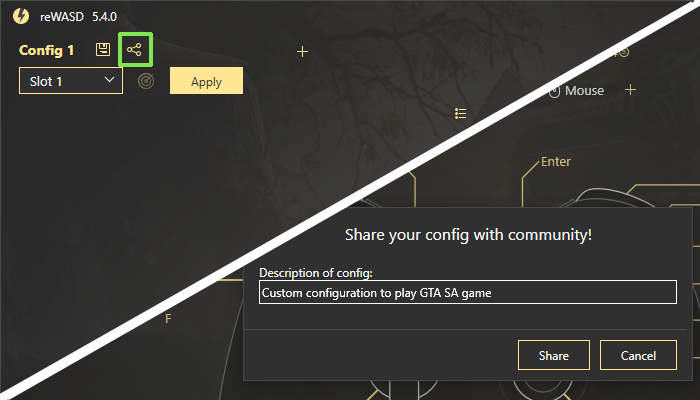
Here it is. Just a few easy steps on how to use Xbox 360 controller on PC.
We really appreciate your activity and interest in reWASD, in case if you’re a rookie and you need some help to use Xbox 360 controller on PC you can check out the other related blog posts:
- If you don’t know what to do after you connect Xbox 360 controller to PC — check out the tips for creating the first config
- To economize spare buttons for Xbox 360 on PC learn more about stick zones mapping
- If you connect Xbox 360 controller to PC and find out that the Sticks are too sensitive — learn more about mouse acceleration.
More useful blog posts are below, and you’d better follow our Pinterest and Facebook page with other tips and news.
For the better experience, you can check out the video, where we show how to use Xbox 360 controller on PC, reveal reWASD features, and demonstrate how Shift Modifiers work on GTA San Andreas gameplay. Once you’ll finish watching you’ll understand that you can easily use Xbox 360 controller on PC with the right gamepad mapper :)
You may also like
How to Use Gyro Controls on PC
.png)